The Flight Carbon Ledger
A year of flying counted honestly: every leg measured, the right factor for the distance and the seat, both figures labeled, the biggest cuts first, and what is left priced in tonnes at the price you are quoted
FatGas.com's Flight Emissions Calculator gives one flight at a time. Our Carbon Footprint Calculator counts every one-way flight as a flat 250 kg or 1,100 kg, and our Carbon Offset Calculator prices tonnes, while our flight figures come out in kilograms. Writing this workbook we also fixed the flight calculator itself: it used one factor for every flight and put a 400 km hop at 46 kg, where the UK government's 2025 conversion factors (DESNZ) give 91.7 kg with the extra warming at altitude and 54.2 kg without it. The Flight Carbon Ledger carries those tools through a year. You measure each leg airport to airport, use the DESNZ factor for its distance and seat, keep the figure with the altitude effect apart from the fuel-only one, and build the year's ledger beside the flat count. In the worked example, four return trips come to 3,625.5 kg with RF where the flat count says 5,400, and changing one London return from business to economy saves 2,463.8 kg, more than every other change in the example combined. Then the levers are ranked, and what is left is priced in tonnes at the price you are quoted. Every figure is an example, computed by the code our calculators run. The workbook names no airline or offset seller, quotes no market price, and never says a credit cancels a flight: a credit funds a project, so it gives seven questions to ask before you pay and a plain way to describe what you bought. Included: 24 printable pages with seven steps, four working pages, a reference table by distance and seat, a quickstart, and a personalised sheet worked from the numbers you enter in our calculators.
Look inside
Two full pages from the workbook, exactly as printed. Click either to read it at full size before you decide.
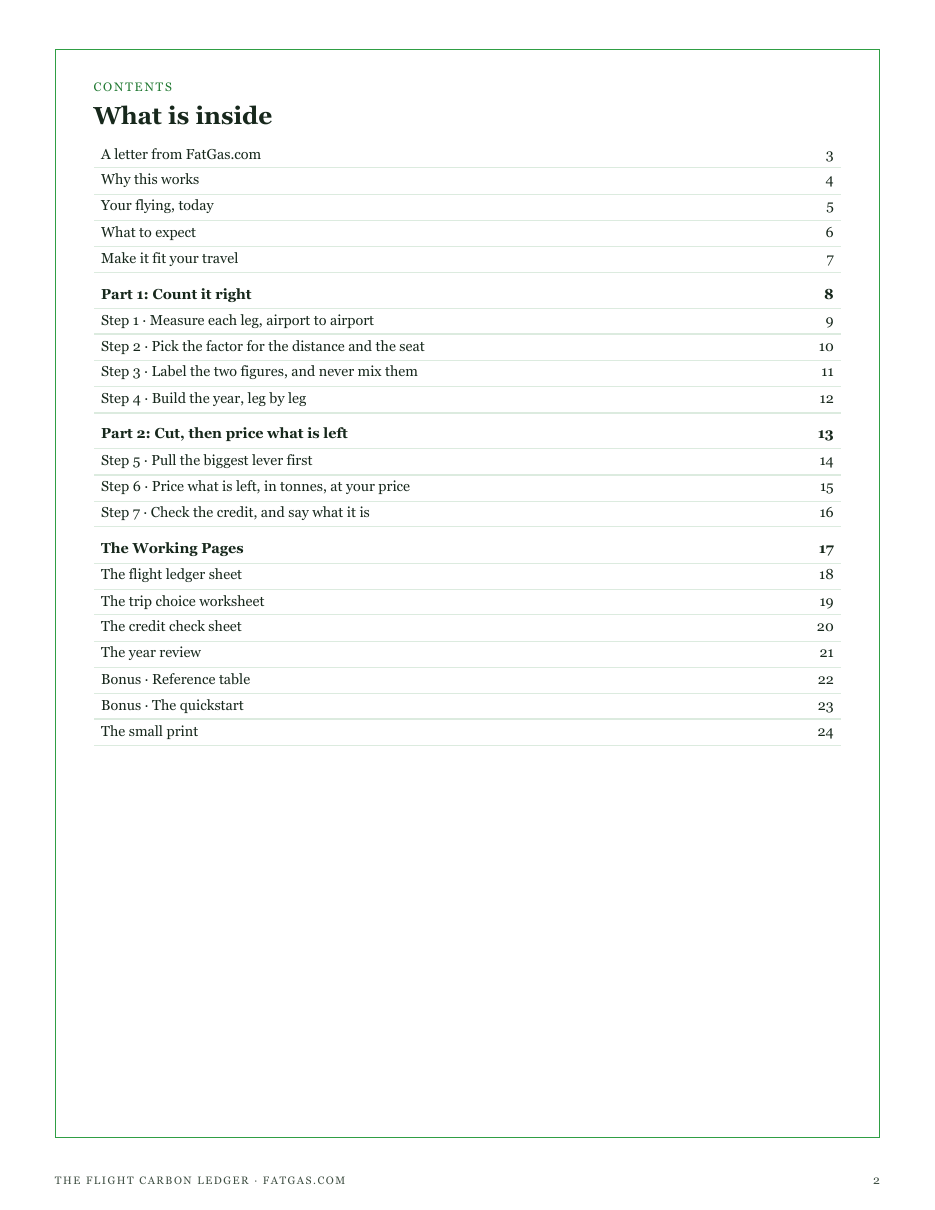
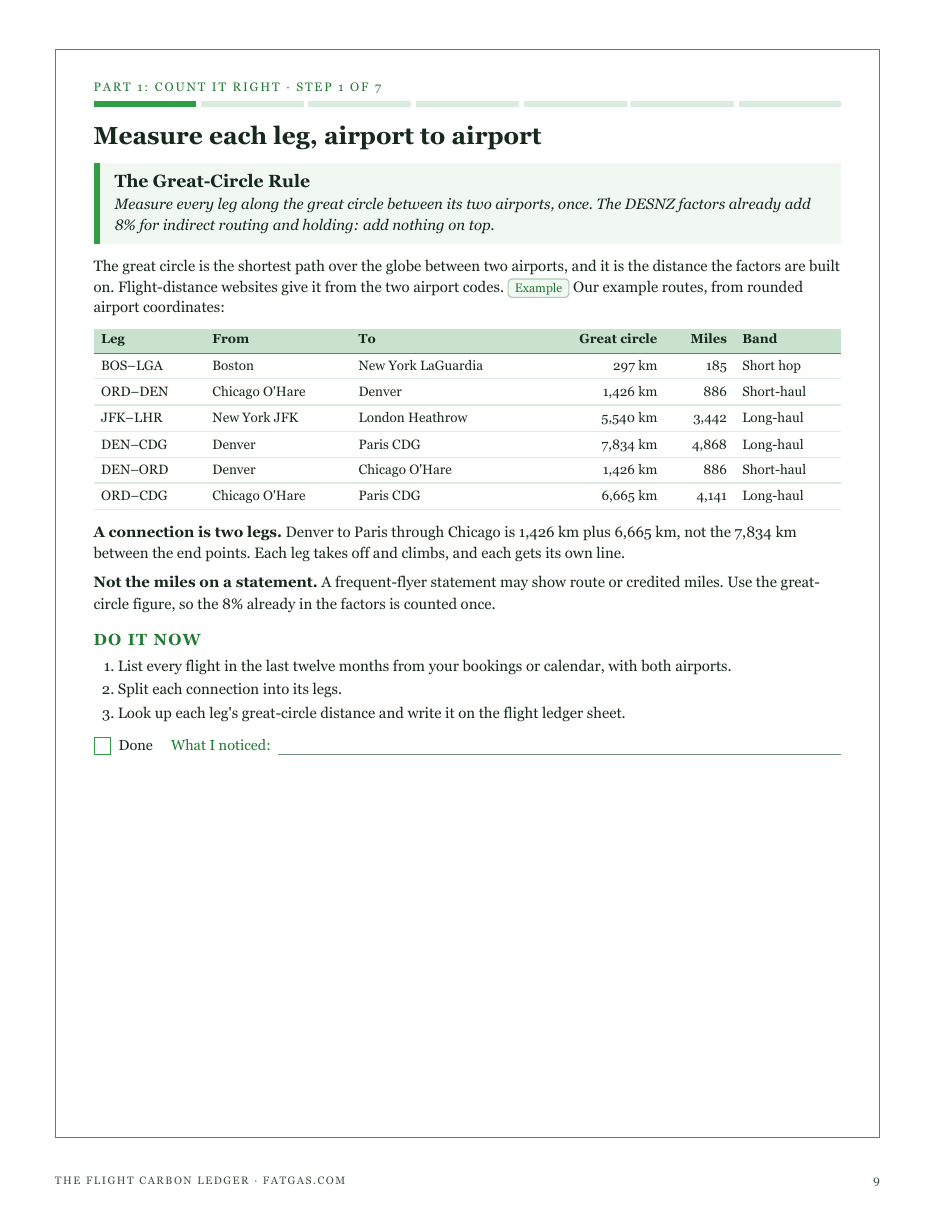
What is in it
- The Great-Circle Rule: every leg measured airport to airport, once, with connections as separate legs
- The Band and Seat Rule: the DESNZ 2025 factor for each leg's distance and seat, and why short hops cost most per kilometer
- The Two-Number Rule: the figure with the altitude effect and the fuel-only figure, kept apart and labeled
- The Every-Leg Ledger Rule: your year built leg by leg beside the flat count, to see how far off it was
- The Biggest-Lever Rule: the trip, the seat, the train or a shared car, and the connection, ranked by what each cuts
- The Tonnes-Not-Kilograms Rule: what is left priced in tonnes at the price you are quoted, and the kilogram trap
- The Funded-Not-Erased Rule: seven questions to ask about any credit, and a plain way to describe what it funds
- Four printable working pages: flight ledger sheet, trip choice worksheet, credit check sheet, year review
- A reference table of kg per passenger by distance and seat, with the ratios behind it
- A quickstart checklist and a personalised sheet worked from your own calculator inputs
- ✓ 24 printable pages
- ✓ 10 sections, worksheets and templates
- ✓ A second PDF worked out from the numbers you enter
- ✓ No account needed, just an email address
- ✓ Instant download; link valid 7 days
Price includes any taxes. Sold by GrabURL, who handle checkout and support. The charge appears on your statement as GrabURL.
The workbook picks up where the free Flight Emissions Calculator leaves off. That calculator gives one flight, with and without the radiative-forcing multiplier; the Carbon Footprint Calculator counts every flight as a flat 250 kg or 1,100 kg; and the Carbon Offset Calculator prices tonnes at a price you enter. The workbook carries them through a year: every leg measured, both figures kept apart and labeled, the levers ranked by what they move, and what is left priced in tonnes. Every figure in it is an example for you to replace. It names no offset seller and quotes no market price, and it never says a credit cancels a flight: a credit funds a project, and the flight still counts.